Sign In and Sign Out
You sign in with the email address and password of your Deepinfo account. If two-factor authentication is on for your account, you also enter a code from your authenticator app.
Before You Start
- You need a Deepinfo Platform account. If you have an invitation or activation email but no password yet, see Set up your account from an email link.
- Signing in needs no particular package or role.
Where to Find It
The sign-in page is at https://platform.deepinfo.com/login. Opening platform.deepinfo.com takes you there too.
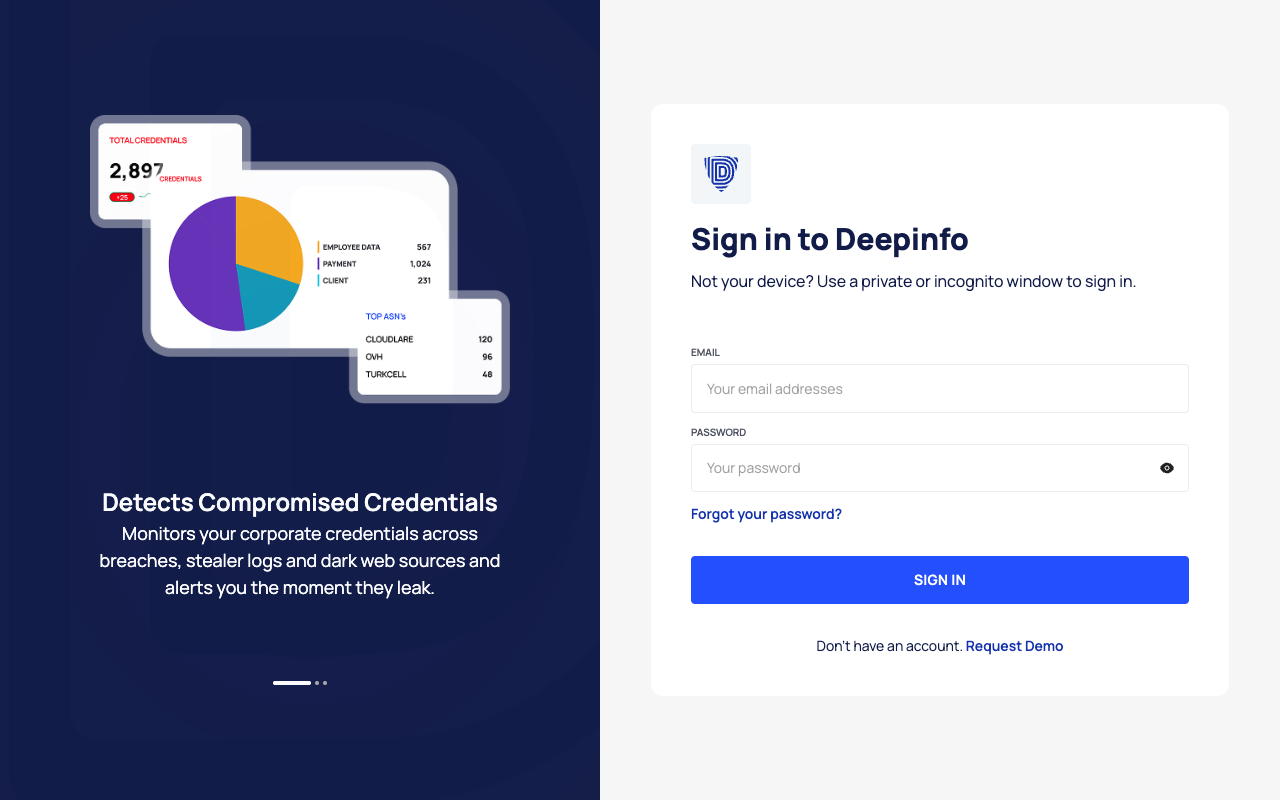
Sign In
- Open https://platform.deepinfo.com/login (demo accounts: https://platform.deepinfodemo.com/login).
- Enter your email address in EMAIL and your password in PASSWORD. The icon at the end of the password field shows or hides what you typed.
- Select SIGN IN.
- If two-factor authentication is on for your account, enter the 6-digit code from your authenticator app. If your organization requires two-factor authentication and you have not set it up yet, the platform asks you to set it up first. See Use two-factor authentication.
Where you land:
- If you opened a link to a platform page before you signed in, you go straight to that page.
- Otherwise you land on the Global Dashboard. Its breadcrumb reads DEEPINFO / GLOBAL DASHBOARD.
If a field is empty or the email address is not valid, a message appears under the field. Errors from the sign-in itself, such as a wrong password, also appear below the fields.
Sign Out
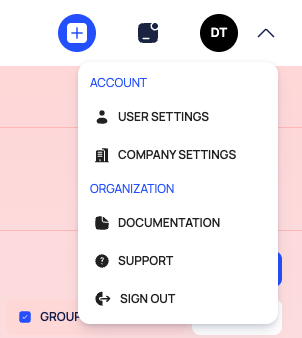
- At the top right of any page, select your organization's logo (or its initials) and the chevron next to it. The profile menu opens.
- Select SIGN OUT.
You return to the sign-in page.
How Long You Stay Signed In
While the platform is open, it renews your session in the background about every 30 minutes. If it cannot renew it, it signs you out without a warning and shows the sign-in page. When you sign in again, you return to the page you were on.
Good to Know
- No sign-up form. The platform has no self-service registration. Request Demo below the sign-in form opens the demo request page on deepinfo.com in a new tab.
- Shared devices. The sign-in page recommends a private or incognito window when the device is not yours.
- Links to platform pages work when you are signed out. The sign-in page keeps the address you opened and takes you there after you sign in, so you can share and bookmark platform links.
- "There is an issue with your account." If sign-in stops with this message, your email address and password were accepted, but the account's subscription does not allow sign-in at the moment. Contact support@deepinfo.com, as the message says.
- Forgot your password? Use the link on the sign-in page. See Reset a forgotten password.