Choose Which Deepinfo Emails You Receive
Notifications in Settings holds your email preferences: which emails you receive from Deepinfo itself, such as announcements and newsletters. Security alerts about your assets are not set here.
Before You Start
No package is needed, and any role can use this page. Your preferences apply to you only.
Where to Find It
Sidebar: SETTINGS › USER SETTINGS › Notifications · https://platform.deepinfo.com/app/settings/user-notifications
Read the Screen
The page is titled Notify me when... and has four switches.
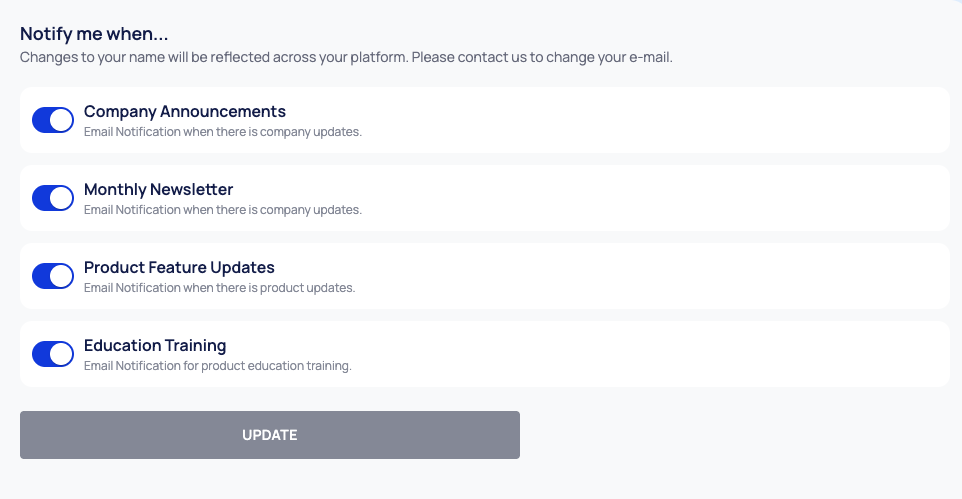
| Switch | Emails it covers |
|---|---|
| Company Announcements | Company updates from Deepinfo |
| Monthly Newsletter | Deepinfo's monthly newsletter |
| Product Feature Updates | Product updates |
| Education Training | Product education and training |
Change Your Email Preferences
- Go to SETTINGS › USER SETTINGS › Notifications.
- Turn each switch on or off.
- Select UPDATE. The button stays disabled until you change a switch.
The platform confirms that your notifications have been updated.
Good to Know
- Email preferences are not notification rules. To get emails when something happens on your attack surface, such as a new fraudulent domain, set up notification rules under NOTIFICATION CENTER in the sidebar. See Notifications.