Download Data Feeds
Feeds offers Deepinfo's domain data as bulk files: daily lists of registered, updated and deleted domains and discovered subdomains, and full lists of all domains and subdomains.
Before You Start
- Package: each feed is part of your package separately. A feed that is not included offers sample data only.
- Role: Admin or Member.
Where to Find It
Sidebar: DEEP SEARCH & INSIGHTS › FEEDS · https://platform.deepinfo.com/app/dsi/feeds
The breadcrumb reads DSI / FEEDS.
Read the Screen
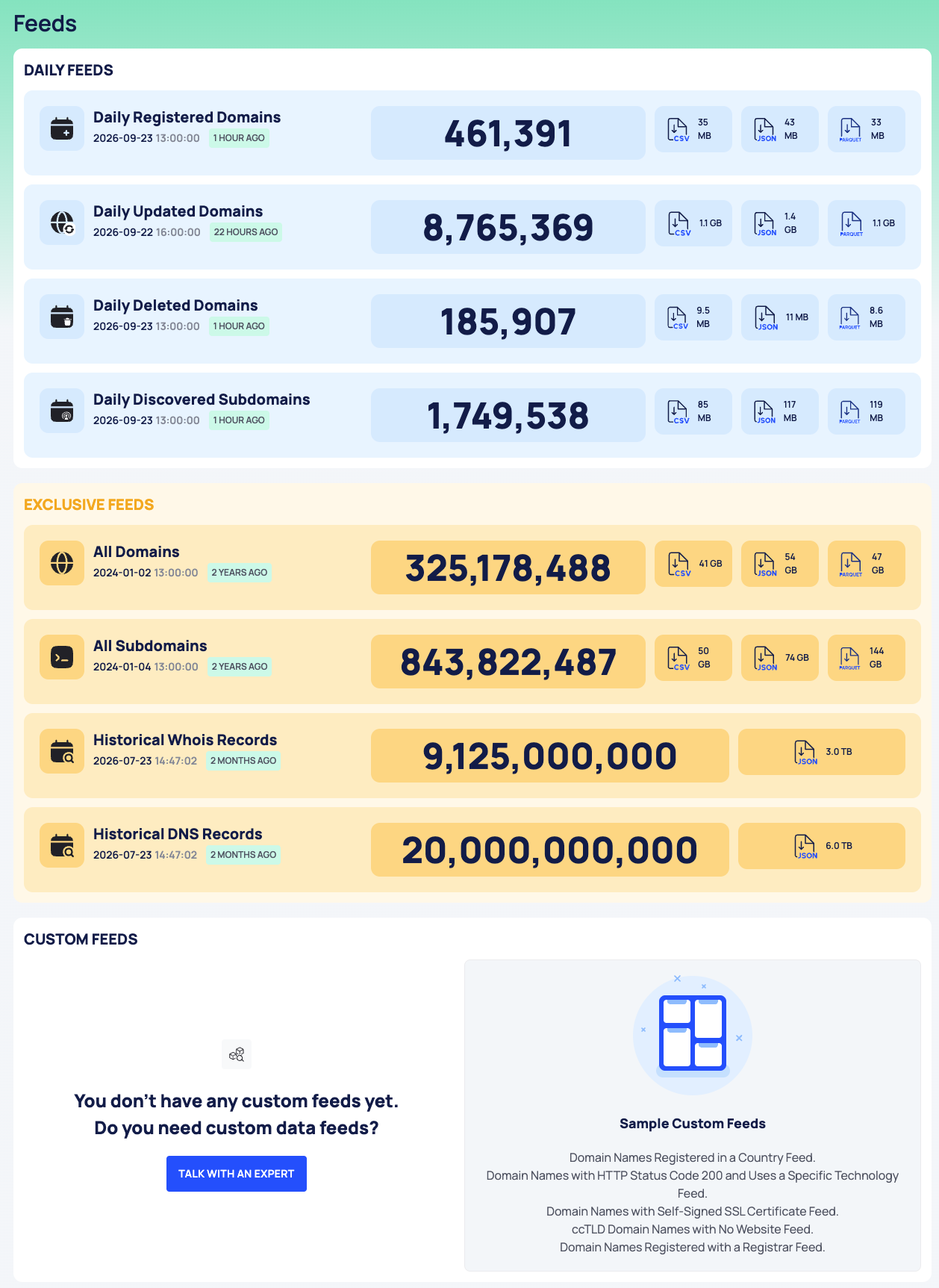
The page has these groups:
| Group | Feeds |
|---|---|
| DAILY FEEDS | Daily Registered Domains, Daily Updated Domains, Daily Deleted Domains, Daily Discovered Subdomains |
| EXCLUSIVE FEEDS | All Domains, All Subdomains, Historical Whois Records, Historical DNS Records |
| CUSTOM FEEDS | Feeds made for your organization, and examples under Sample Custom Feeds |
Each feed card shows:
- the feed's name;
- when the file was last updated, as a date and time and as a relative time (for example 21 HOURS AGO);
- the number of lines;
- one button per file format, with the file's size.

Download a Feed
- Find the feed's card.
- Select the button of the format you want. The download starts in your browser.
The full files are large. Check the size on the button before you download.
Feeds Outside Your Package
A card for a feed that is not in your package says This feed is not included in your package and You can only download the sample data:, with a sample file and its size.

Custom Feeds
When you have no custom feed, CUSTOM FEEDS says so and lists Sample Custom Feeds, five examples of what a custom feed can contain. To ask about a custom feed, write to support@deepinfo.com; the TALK WITH AN EXPERT button does not open a contact form.
Do This With the API
- List the latest files: List
- Daily feeds: Daily Registered Domains, Daily Updated Domains, Daily Deleted Domains, Daily Discovered Subdomains
- Full lists: All Domains, All Subdomains