Technology Insights
The INSIGHTS tab of Technologies shows how healthy your technology stack is: how many technologies are vulnerable or out of date, which categories you use most, and which technologies carry the most vulnerabilities.
Before You Start
- Package: External Attack Surface Management (EASM).
- Role: Admin or Member.
Where to Find It
Sidebar: EXTERNAL ATTACK SURFACE MANAGEMENT › TECHNOLOGIES · Tab: INSIGHTS · https://platform.deepinfo.com/app/easm/technologies/insights
Read the Screen
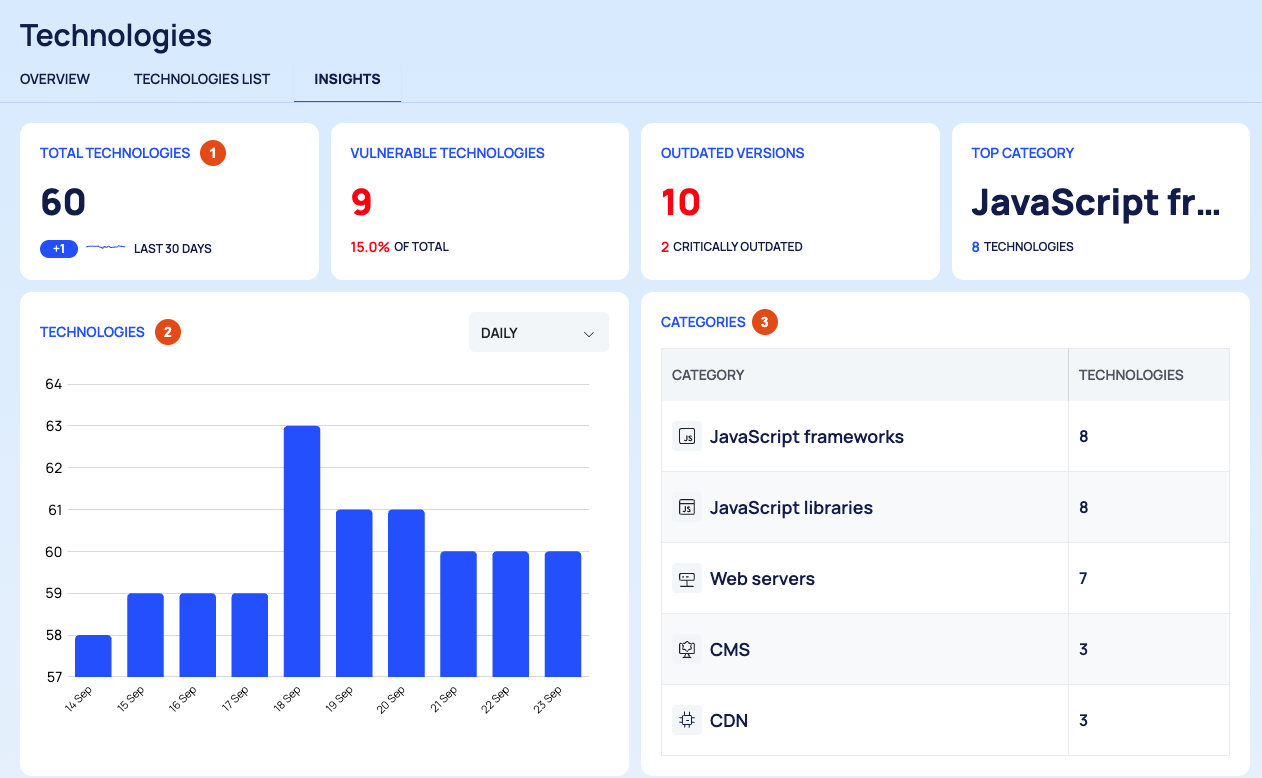
Cards:
Card What it shows TOTAL TECHNOLOGIES The number of technologies on your assets, with the change over the LAST 30 DAYS VULNERABLE TECHNOLOGIES How many technologies have known vulnerabilities, and their share OF TOTAL OUTDATED VERSIONS How many technologies have an out-of-date version, and how many of them are CRITICALLY OUTDATED TOP CATEGORY The category with the most technologies, and how many it has Charts:
- TECHNOLOGIES: the number of technologies over time.
- OUTDATED VS UP TO DATE: up-to-date technologies against outdated ones.
- SEVERITY: the vulnerabilities of your technologies per severity: CRITICAL, HIGH, MEDIUM, LOW and UNKNOWN.
- MOST IDENTIFIED TECHNOLOGIES: the technologies found on the most assets.
Tables:
- CATEGORIES: each CATEGORY with its number of TECHNOLOGIES.
- OUTDATED TECHNOLOGIES: TECHNOLOGY, the VERSION found and the LATEST VERSION.
- TOP VULNERABLE TECHNOLOGIES: TECHNOLOGY and its VULNERABILITY COUNT, in total and per severity.
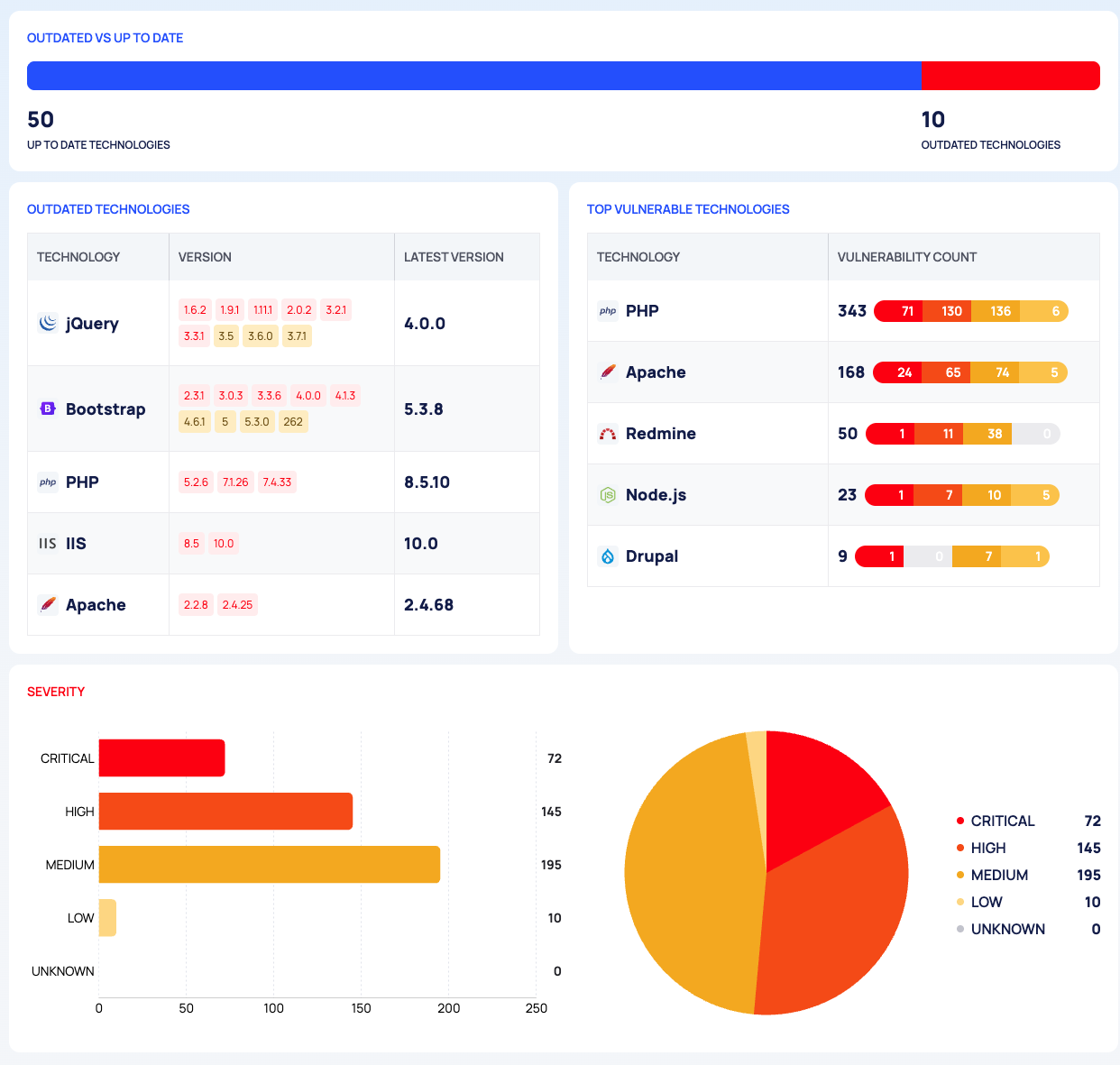
Use the Page
- Plan upgrades: start with OUTDATED TECHNOLOGIES. Select a row to open the technology's page, where you can see the assets that run the old version and the end-of-life dates; see Technology details.
- Reduce risk first where it is highest: TOP VULNERABLE TECHNOLOGIES lists the technologies with the most vulnerabilities, and how many are critical or high.
- Track progress: over time, OUTDATED VS UP TO DATE should shift towards up to date.
Good to Know
- OUTDATED VERSIONS counts the same technologies as the Out of Date value of the VERSION SCOPE filter on TECHNOLOGIES LIST, so you can list them there and export them.
- The page is for reading only. It has no filters and no export.
- The Technologies OVERVIEW tab has the summary cards; see Review detected technologies.
Do This With the API
- Technologies over time: Technology Count Timeline
- The most vulnerable technologies: Most Vulnerable Technologies
- Technologies per category: Technology Category Stats
- Out-of-date technologies (filter by version scope): Technology Search