What Each Report Contains
Every PDF report is built from your data at the moment it is generated. This page lists what each report type includes, so you can pick the right one before you generate or schedule it. To see a report's pages, generate it once and read the preview.
The Includes line of each report below is the list its drawer shows under What does it include?. See Generate and download a PDF report.
Where to Find It
Sidebar: REPORTS › REPORTS · Tab: EASM REPORTS · https://platform.deepinfo.com/app/platform/reports
Click the body of a PDF report card on the EASM REPORTS tab to open its drawer.
What Every Report Has
- A cover with the module (EASM), the report title, the asset or CVE it is about (on the detail reports) and the date it was created.
- A footer on every page that reads "Deepinfo Security Platform" followed by the kind of report.
- A back cover.
- An automatic name, made of the report type, or the asset or CVE, and the date and time of creation.
The preview in the platform shows the content pages only. The covers are in the PDF.
EASM Executive Summary Report
An overview of your organization's external attack surface.
Includes: General Overview, Insights, Assets, Issues, Technologies, Vulnerabilities.
Pages:
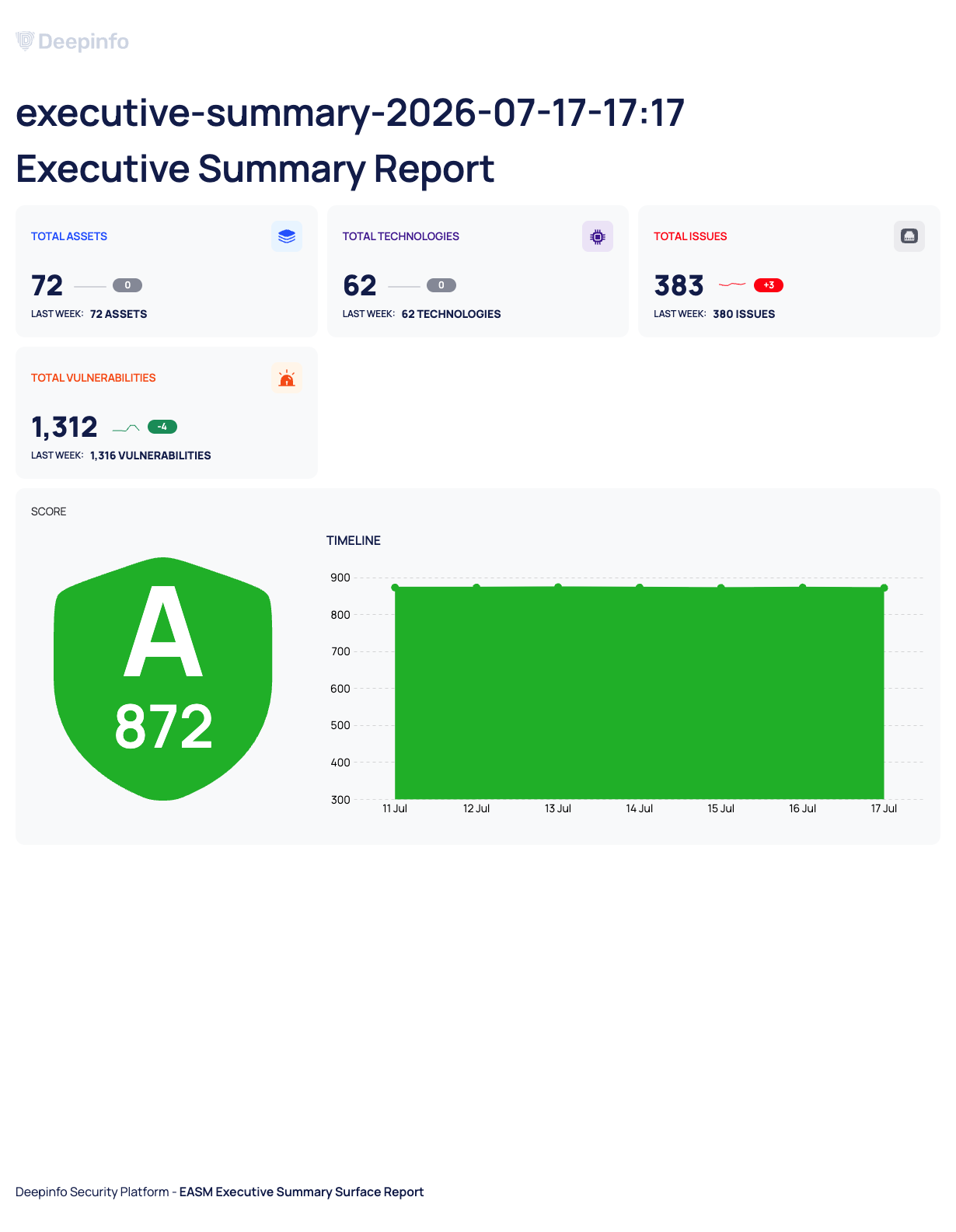
- Executive Summary Report: TOTAL ASSETS, TOTAL TECHNOLOGIES, TOTAL ISSUES and TOTAL VULNERABILITIES, each with its change and the figure from last week (LAST WEEK:); your SCORE and its TIMELINE.
- Assets: ASSET TYPES (domains, subdomains, IP addresses and websites) and Top 5 Assets, with DOMAIN NAME, SECURITY RATING, ISSUES and TECHNOLOGIES.
- Issues: SEVERITY and Most Critical Issues, with ISSUE NAME, ASSETS and CATEGORY.
- Technologies: CATEGORY and Most Identified Technologies, with TECHNOLOGY, CATEGORIES, VERSION, LATEST VERSION, ASSETS and VULNERABILITIES.
- Vulnerabilities: SEVERITY, from NONE and UNKNOWN to CRITICAL.
Name: executive-summary-YYYY-MM-DD-HH:mm.
Asset Detail Report
A deep look at one asset you choose.
Includes: Asset Overview, Insights, Issues, Technologies, Vulnerabilities, Open Ports.
Name: the asset's name followed by -YYYY-MM-DD-HH:mm.
EASM Weekly Progress Report
What changed on your attack surface over the week.
Includes: Weekly Progress Summary, Assets, Issues, Technologies, Vulnerabilities, Open Ports.
Issue Overview Report
A high-level summary of your issues.
Includes: Issue Overview, Insights, Issues.
Vulnerability Overview Report
A summary of the vulnerabilities found on your assets.
Includes: Vulnerability Overview, Insights, Most Critical Vulnerabilities, Most Seen Vulnerabilities, Recently Detected Vulnerabilities.
Vulnerability Detail Report
Technical detail on one CVE you choose.
Includes: Vulnerability Overview, Vulnerability Details, Insights, Affected Assets, Impact, Affected Product.
Issue Detail Report
A report on one issue you choose. It is available only as a scheduled report. See Schedule a report.
Good to Know
- A report is a snapshot. It shows your data at the time it was generated. Reopening it from REPORTS HISTORY does not update it.
- The CSV and JSON exports are not reports of this kind. They contain raw records, not pages. See Export all data as CSV or JSON.