Review Compromised Client Credentials
Compromised Client Credentials lists the credentials of your customers for your own services that were found in leaked data. Use it to see which customer accounts are exposed and on which login pages.
Before You Start
- Package: Cyber Threat Intelligence (CTI).
- Role: Admin or Member.
Where to Find It
Sidebar: CYBER THREAT INTELLIGENCE › COMPROMISED CLIENT CREDENTIALS · Tab: COMPROMISED CLIENTS · https://platform.deepinfo.com/app/cti/compromised-client-credentials/list
The page title is Compromised Client Credentials, with two tabs: OVERVIEW (https://platform.deepinfo.com/app/cti/compromised-client-credentials) and COMPROMISED CLIENTS. The sidebar item opens COMPROMISED CLIENTS. The GO TO COMPROMISED CLIENT CREDENTIALS PAGE button on the CTI dashboard opens the page too.
Read the OVERVIEW Tab
The breadcrumb reads CTI / COMPROMISED CLIENT CREDENTIALS / OVERVIEW.
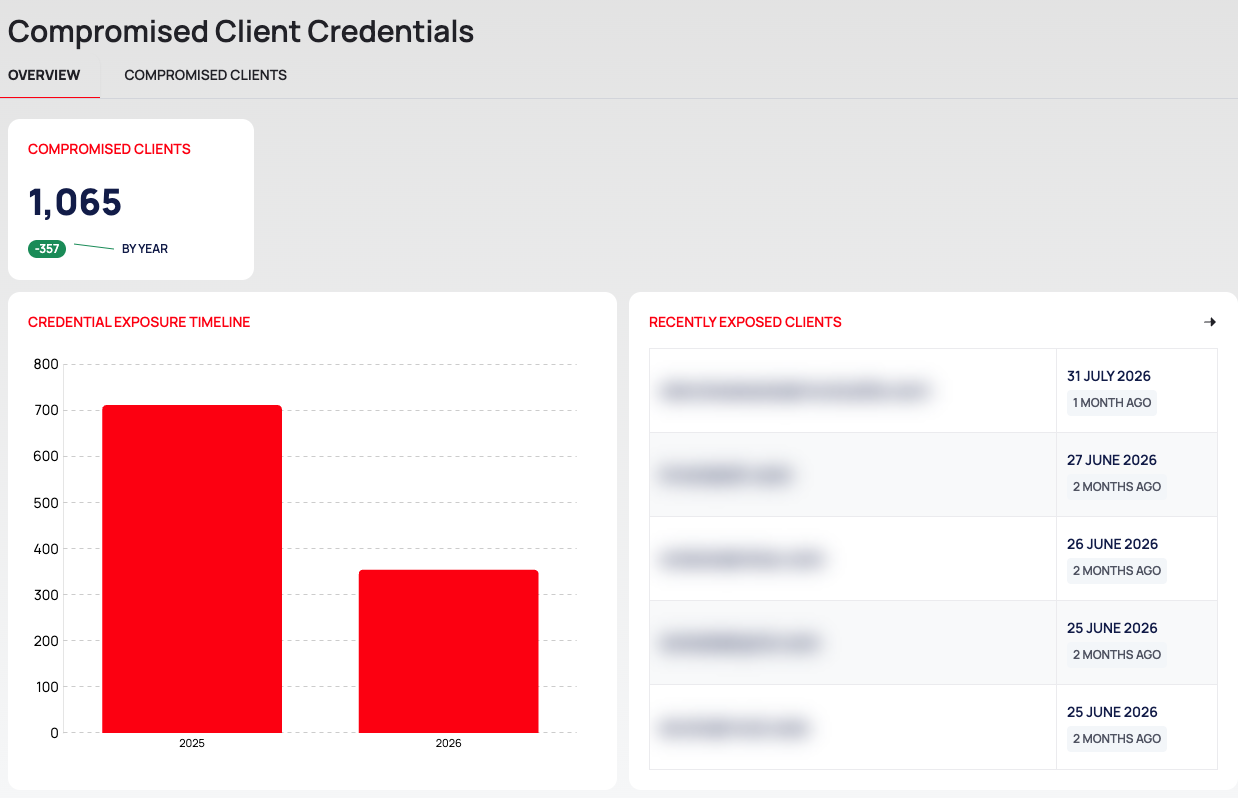
- COMPROMISED CLIENTS: the number of compromised client credentials, with a change indicator marked BY YEAR.
- CREDENTIAL EXPOSURE TIMELINE: exposed client credentials per period.
- RECENTLY EXPOSED CLIENTS: the latest client credentials, each with the client's email address and the date it was found.
Read the COMPROMISED CLIENTS Tab
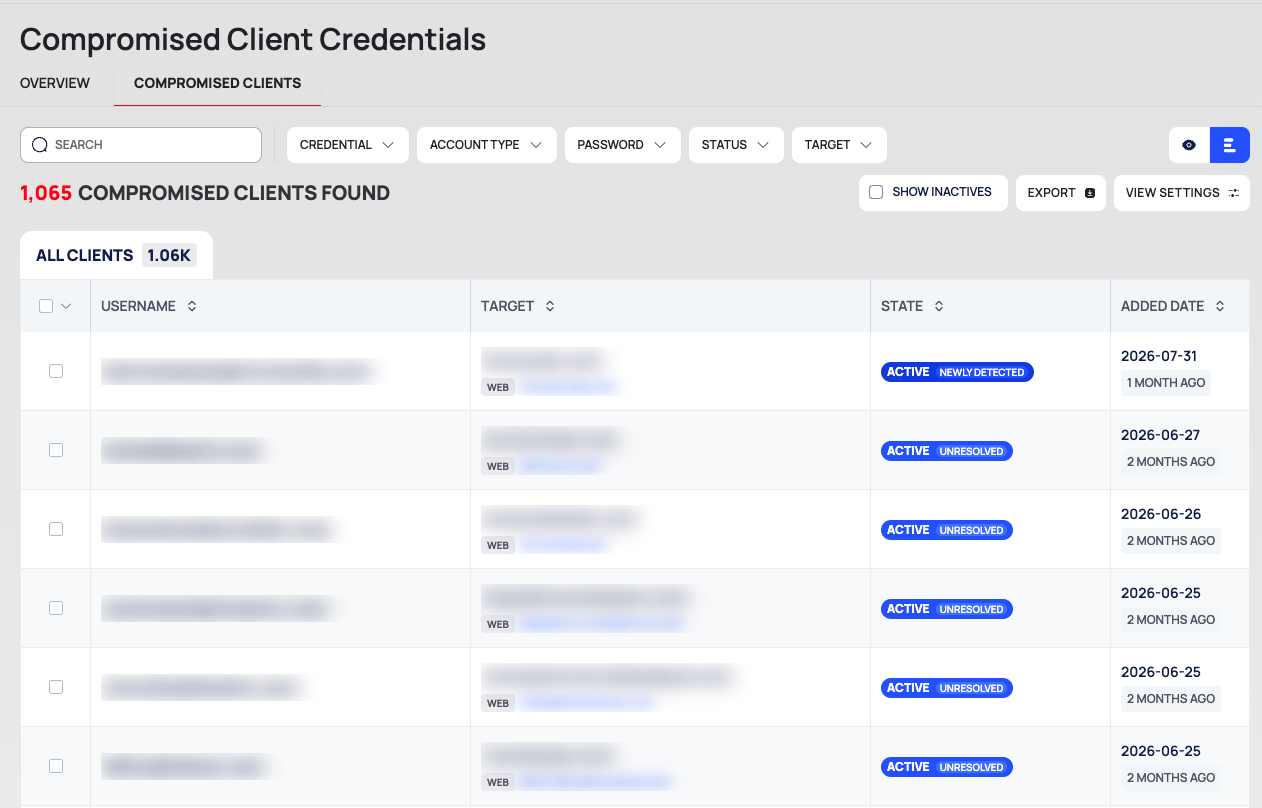
The breadcrumb reads CTI / COMPROMISED CLIENT CREDENTIALS / COMPROMISED CLIENTS. From top to bottom:
- Filter row: the SEARCH box and the filter chips CREDENTIAL, ACCOUNT TYPE, PASSWORD, STATUS and TARGET.
- Result line: <n> COMPROMISED CLIENTS FOUND, SHOW INACTIVES, EXPORT and VIEW SETTINGS.
- Tab: ALL CLIENTS, with the count.
- The list:
| Column | What it shows |
|---|---|
| USERNAME | The customer's username or email address |
| TARGET | The login address the credential belongs to, with its platform and domain |
| STATE | The credential's state, for example ACTIVE · NEWLY DETECTED or ACTIVE · UNRESOLVED |
| ADDED DATE | When the credential was added |
The list shows no passwords. Tick SHOW INACTIVES to include credentials in an inactive state; the states are explained in Change the state of exposed credentials.
The filter chips work like the other CTI lists; see Search, filter and export lists.
Export the List
- Filter the list if you want only part of it.
- Select EXPORT. The DOWNLOAD window opens.
- Choose RECORDS (ALL or FILTERED), FILE FORMAT (CSV or JSON) and EXPORT SCOPE (DEFAULT, BASIC or EXTENDED).
- Select EXPORT.
Good to Know
- Full export. The CTI REPORTS tab of REPORTS has All Compromised Client Credentials Report, a CSV or JSON file of every client credential. See Export all data as CSV or JSON.
- Alerts. A notification rule on New Client Credential Detected tells you when a new client credential is found. It can be filtered by Username Type (Email or Username). See Create a notification rule.
- Handle with care. Client credentials belong to your customers; see Handle leaked data safely.
Do This With the API
- Compromised Client Credential Search
- Compromised Client Credential Export
- Compromised Client Credential Stats
- State changes: Compromised Client Credential Ignore and the related actions listed in Change the state of exposed credentials.
The API responses include the password field of each client credential. Handle them as described in
Handle leaked data safely.