Cyber Threat Intelligence (CTI)
Cyber Threat Intelligence (CTI) watches leaked data for credentials that belong to your organization: the logins of your employees, the logins of your customers on your services, and payment card data. Leaked data is data published on the dark web or in Telegram channels. For each credential you can see where it was found and track what you did about it. CTI also brings curated cybersecurity news and a search across dark web sources.
Before You Start
- Package: CTI. DARK WEB SEARCH opens with either CTI or the Dark Web Search package; see Search the dark web. How locked screens look is explained in What you can access.
- Role: Admin or Member.
- Data: CTI lists what Deepinfo finds in leaked data for your organization. A list stays empty until something is found; for example, COMPROMISED PAYMENT CREDENTIALS shows No Result Found. when no card data has been found.
Where to Find It
Sidebar: CYBER THREAT INTELLIGENCE › CTI DASHBOARD · https://platform.deepinfo.com/app/cti/dashboard
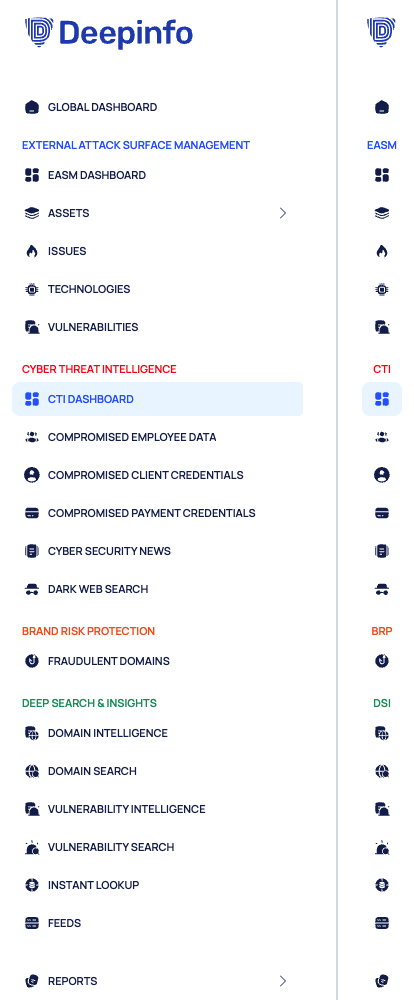
The CYBER THREAT INTELLIGENCE group of the sidebar has the items below. When you collapse the sidebar, the group is labeled CTI. Some items open a page with tabs; the sidebar opens the tab marked "opens first".
| Sidebar item | Tabs on the page | Guide pages |
|---|---|---|
| CTI DASHBOARD | None | CTI dashboard |
| COMPROMISED EMPLOYEE DATA | OVERVIEW · COMPROMISED EMPLOYEES (opens first) · EXPOSED CREDENTIALS | Overview, Investigate compromised employees, Review exposed credentials |
| COMPROMISED CLIENT CREDENTIALS | OVERVIEW · COMPROMISED CLIENTS (opens first) | Review compromised client credentials |
| COMPROMISED PAYMENT CREDENTIALS | OVERVIEW · COMPROMISED PAYMENTS (opens first) | Review compromised payment credentials |
| CYBER SECURITY NEWS | None | Cyber security news |
| DARK WEB SEARCH | search tabs that you open yourself | Search the dark web |
The breadcrumb at the top of every CTI page starts with CTI, for example CTI / COMPROMISED EMPLOYEE DATA / EXPOSED CREDENTIALS. The Global dashboard also has a CTI section with a GO TO CTI DASHBOARD button; see Global dashboard.
Concepts
Compromised Employees and Exposed Credentials
A compromised employee is an employee account, identified by its email address, that was found in leaked credential data. Each leaked login of that account is an exposed credential: the site or app it was used on, the account and the password.
Every compromised employee has a risk level, CRITICAL, HIGH, MEDIUM or LOW, which the platform describes as "Composite priority based on credential, role, and recency." Every leaked password gets a strength label from VERY WEAK to VERY STRONG, and the platform analyzes the passwords of each employee: how many there are, how strong they are and how often they are reused.
Client Credentials
Compromised client credentials are the credentials of your customers for your own services that were found in leaked data. Each record has a username or email address and the login address it belongs to.
Payment Credentials
Compromised payment credentials are payment card data related to your organization that was found in leaked data.
States
Every employee, client and payment credential has a state, shown as a chip such as ACTIVE · UNRESOLVED. New credentials are active. You close a credential by ignoring it, accepting the risk, or marking it as resolved or as a false positive. See Change the state of exposed credentials.
Masked Passwords
Leaked passwords are masked on screen until you choose to show them. See Handle leaked data safely.
News and Dark Web Search
CYBER SECURITY NEWS is a feed of curated articles, linked to the threat actors, targets, vendors, products and CVEs they mention. DARK WEB SEARCH searches dark web sources such as forums, markets, paste sites and chat channels.
CTI in Other Parts of the Platform
- Notifications: notification rules can alert you on New Employee Credential Detected, New Client Credential Detected, New Payment Credential Detected and New Cybersecurity News. See Create a notification rule.
- Reports: the CTI REPORTS tab of REPORTS has these CSV and JSON exports: All Compromised Employee Credentials Report, All Compromised Client Credentials Report and All Compromised Payment Credentials Report. See Export all data as CSV or JSON.
- Lists: the CTI lists share the filter chips, views and EXPORT described in Search, filter and export lists.
Pages in This Section
- CTI dashboard: the one-page summary.
- Compromised employee data overview: totals, timeline and risk levels for employee credentials.
- Investigate compromised employees: the employee list, security profiles and employee details.
- Review exposed credentials: every leaked employee login, with its target and password analysis.
- Change the state of exposed credentials: ignore, accept, resolve or mark as false positive, and revert.
- Review compromised client credentials: your customers' leaked logins.
- Review compromised payment credentials: leaked payment card data.
- Handle leaked data safely: what is masked and what is not.
- Cyber security news: the news feed and articles.
- Search the dark web: search dark web sources.
Do This With the API
The CTI reference documents the same data: compromised employee accounts and credentials, compromised client and payment credentials, and security news. Dark web search is in the Darkweb reference.