Brand Risk Protection (BRP)
Brand Risk Protection (BRP) looks for domain names that imitate your brand. Detection rules that you set up pick them out. Each domain a rule finds waits as a suspicious domain until you decide: mark it as fraudulent, or ignore it. Fraudulent domains stay on their own list with their risk score and, when one is available, a screenshot of the site.
Before You Start
- Package: BRP. Without it, the BRP pages show a notice that the package is not included, with a TALK TO US button. See What you can access.
- Role: Admin or Member.
- Data: detection rules. They decide which domains reach the suspicious list; see Set up detection rules.
Where to Find It
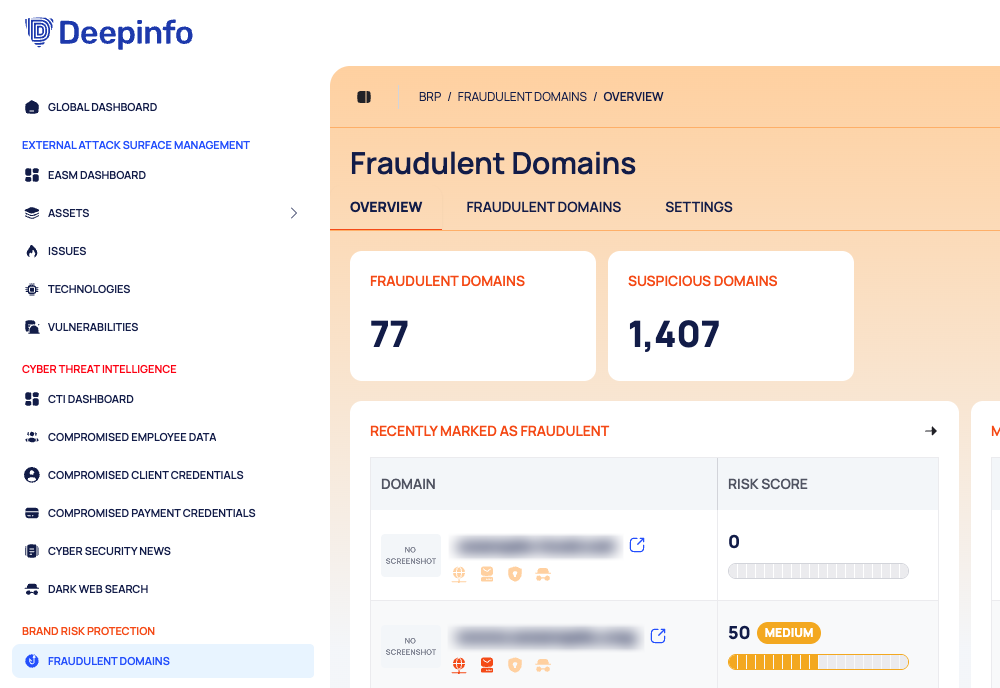
Sidebar: BRAND RISK PROTECTION › FRAUDULENT DOMAINS · Tab: OVERVIEW · https://platform.deepinfo.com/app/brp/fraudulent/overview
FRAUDULENT DOMAINS is the only item under the orange BRAND RISK PROTECTION heading in the sidebar. It opens the Fraudulent Domains page, which has three in-page tabs:
| In-page tab | What it holds | Guide page |
|---|---|---|
| OVERVIEW | Two counts and two short lists | The OVERVIEW tab, below |
| FRAUDULENT DOMAINS (opens first) | Two lists: SUSPICIOUS DOMAINS (shown first) and FRAUDULENT DOMAINS | Review suspicious domains, Track fraudulent domains |
| SETTINGS | Custom Rules and Other Settings | Set up detection rules |
The ⋮ menu at the top right of the page has one item, IGNORED DOMAINS; see Restore ignored domains. The header breadcrumb starts with BRP, for example BRP / FRAUDULENT DOMAINS / OVERVIEW.
The BRP section of the Global dashboard also links here: its FRAUDULENT DOMAINS and SUSPICIOUS DOMAINS cards open the list in a new browser tab.
How BRP Works
From Rule to Decision
- A detection rule describes what to look for: a keyword, a match type and optional filters such as the extensions (TLDs) to include or leave out.
- Every domain a rule detects appears on the SUSPICIOUS DOMAINS list with the rules that found it.
- You review it and choose:
- MARK AS FRAUDULENT: the domain moves to the FRAUDULENT DOMAINS list.
- IGNORE: the domain moves to Ignored Domains. You can restore it later with UNDO IGNORE.
- A rule with Auto Approval turned on marks the suspicious domains it matches as fraudulent for you.
To keep your own domains off the suspicious list, add them to Ignored Assets under SETTINGS › Other Settings.
| State | List | How a domain gets there | What you can do |
|---|---|---|---|
| Suspicious | SUSPICIOUS DOMAINS | A rule detected it, or you restored it from Ignored Domains | MARK AS FRAUDULENT, IGNORE |
| Fraudulent | FRAUDULENT DOMAINS | You marked it, or a rule with Auto Approval did | REMOVE FROM FRAUDULENT DOMAINS |
| Ignored | Ignored Domains | You ignored it | UNDO IGNORE |
Risk Score
Every detected domain has a RISK SCORE from 0 to 100, shown as a number, a label and a bar:
| Score | Label |
|---|---|
| 0 | none (the score shows as 0) |
| 1 to 20 | INFORMATION |
| over 20, up to 40 | LOW |
| over 40, up to 60 | MEDIUM |
| over 60, up to 80 | HIGH |
| over 80 | CRITICAL |
A score exactly on a boundary takes the lower label: 20 is INFORMATION, 40 is LOW, 60 is MEDIUM and 80 is HIGH. This is not the same scale as the External Attack Surface Management (EASM) security score (see How security scores work).
Indicators
The INDICATORS column shows four icons: DNS, DNS MX, SSL and HTTP. Hover over an icon to see its name. The INDICATORS filter finds the domains that have a given indicator.
Badges
- NEW: the domain was first detected in the last 14 days.
- SEEMS INACTIVE: the domain looks inactive. See the Glossary.
Caution
The external-link icon next to a domain name opens that domain in your browser. Suspicious and fraudulent domains can host phishing pages or malware. Open them only when you need to, and with care.
The OVERVIEW Tab
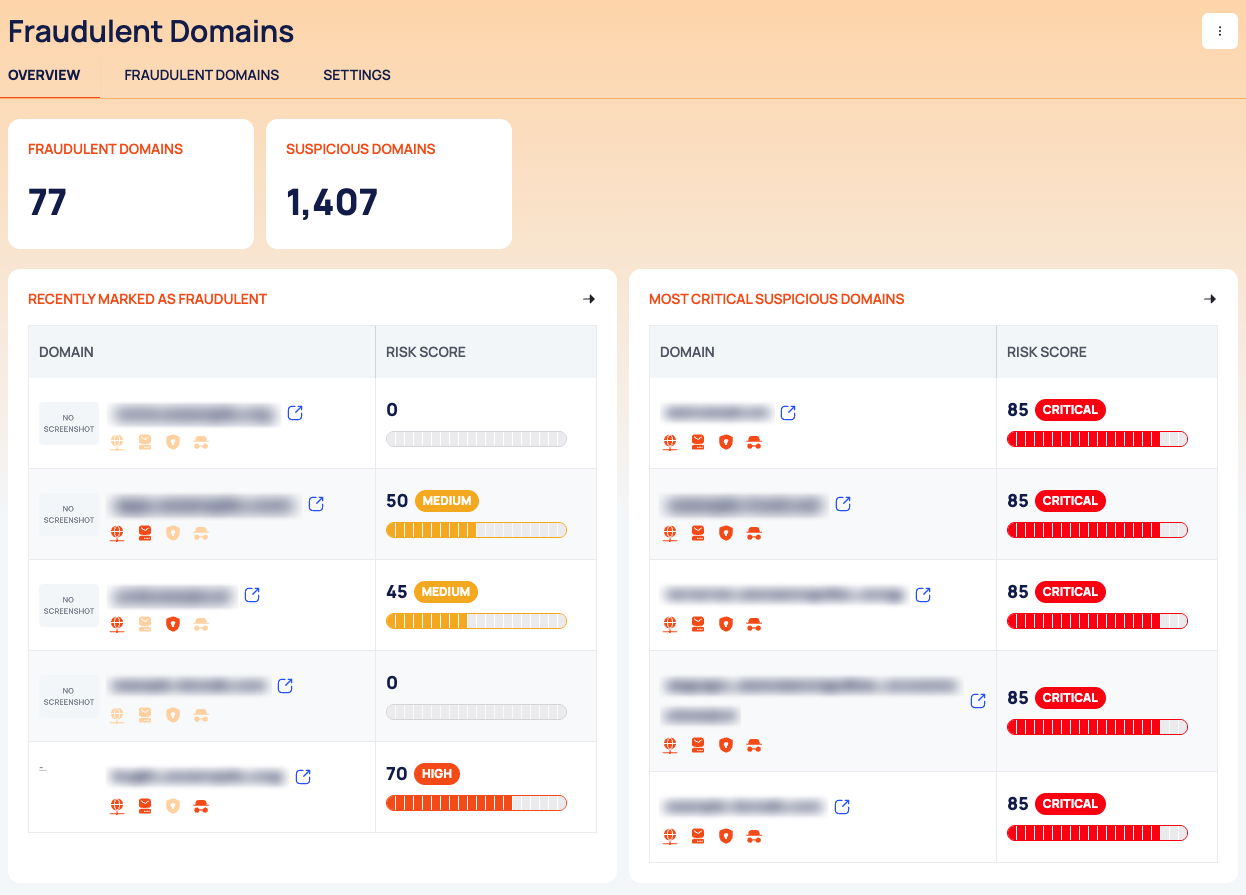
The OVERVIEW tab summarizes the module on one screen:
- FRAUDULENT DOMAINS and SUSPICIOUS DOMAINS: how many domains are on each list. Select a card to open that list.
- RECENTLY MARKED AS FRAUDULENT: five recent domains from the fraudulent list, with DOMAIN and RISK SCORE.
- MOST CRITICAL SUSPICIOUS DOMAINS: five suspicious domains with high risk scores, with DOMAIN and RISK SCORE.
Related Pages
- Alerts: a notification rule can watch the events New Suspicious Domain and New Fraudulent Domain, filtered by Fraudulent Type (Domain or Subdomain) and by Rule. See Create a notification rule.
- Full exports: REPORTS has a BRP REPORTS tab with All Fraudulent Domains Report and All Suspicious Domains Report (CSV or JSON). See Export all data as CSV or JSON.
Pages in This Section
- Review suspicious domains: mark domains as fraudulent or ignore them.
- Track fraudulent domains: the confirmed list, screenshots and risk over time.
- Restore ignored domains: find what you ignored and undo it.
- Set up detection rules: custom rules and the domains to keep out.
Do This With the API
- Counts per state: Suspicious Domain State Stats
- Everything else: the BRP API reference