Cyber Security News
CYBER SECURITY NEWS is a feed of curated cybersecurity articles. Each article is linked to the threat actors, target countries, industries and organizations, vendors, products and CVEs it mentions, so you can follow a topic across articles.
Before You Start
- Package: Cyber Threat Intelligence (CTI).
- Role: Admin or Member.
Where to Find It
Sidebar: CYBER THREAT INTELLIGENCE › CYBER SECURITY NEWS · https://platform.deepinfo.com/app/cti/news
The newspaper icon in the top bar opens the latest headlines; see The news menu.
Read the News List
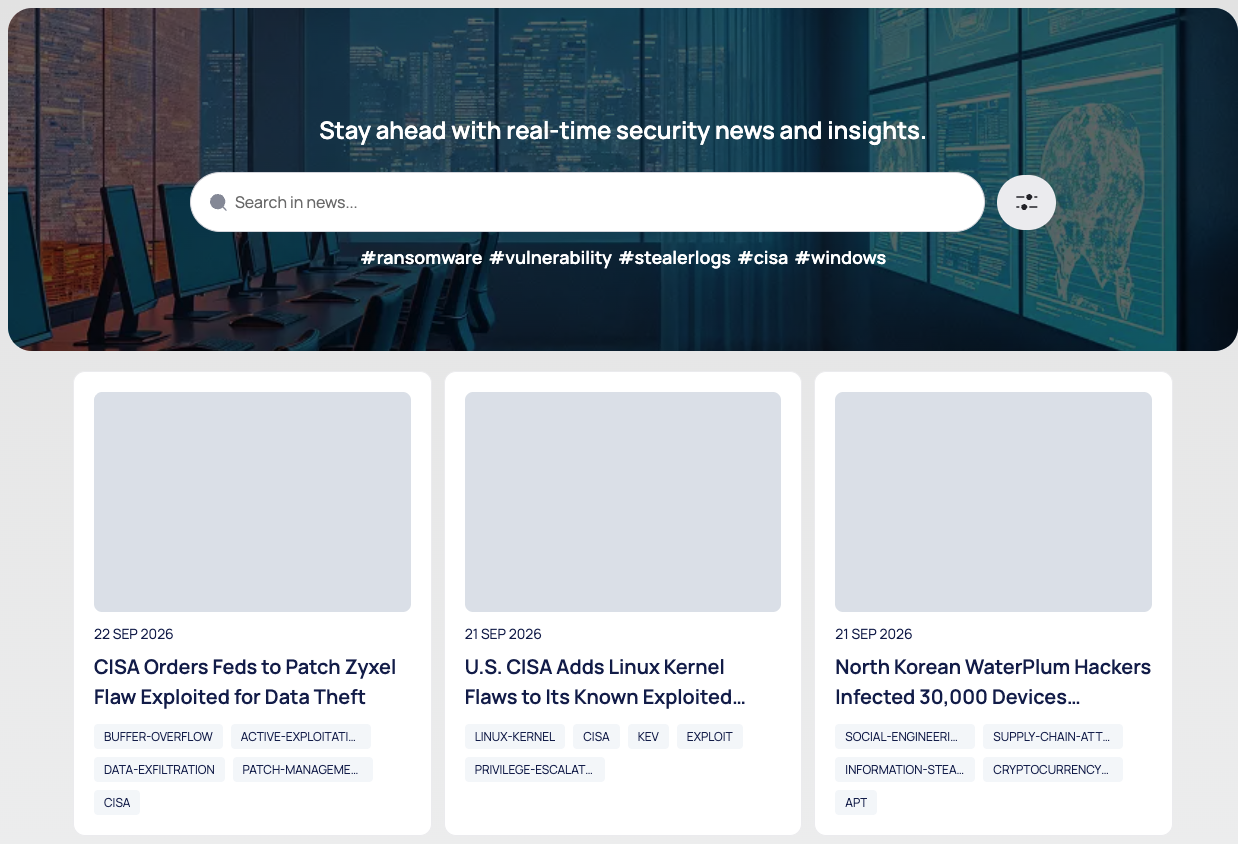
The breadcrumb reads CTI / CYBER SECURITY NEWS. From top to bottom:
- The line "Stay ahead with real-time security news and insights.", a search box (Search in news...) and a filter icon.
- Quick links: #ransomware, #vulnerability, #stealerlogs, #cisa and #windows. Each opens a search for that word in a new browser tab.
- Article cards: the publication date, the title and tag chips.
- Pages of 30 articles, with Displaying Results and page numbers below.
Search and Filter the News
- Search: type in Search in news... and press Enter to search article titles.
- Tag: select a tag chip on a card to list the articles with that tag.
- Filters: select the filter icon, fill in one or more of Threat Actor, Target Country, Target Industry, Target Organization, Vendor, Product, CVE and Tags, then select SEARCH.
Applied filters appear under FILTERS APPLIED, for example MUST · Threat Actor · Actor · EQUAL · <name>, and the filter group shows a +1 badge. CLEAR FILTERS removes them all.
Read an Article
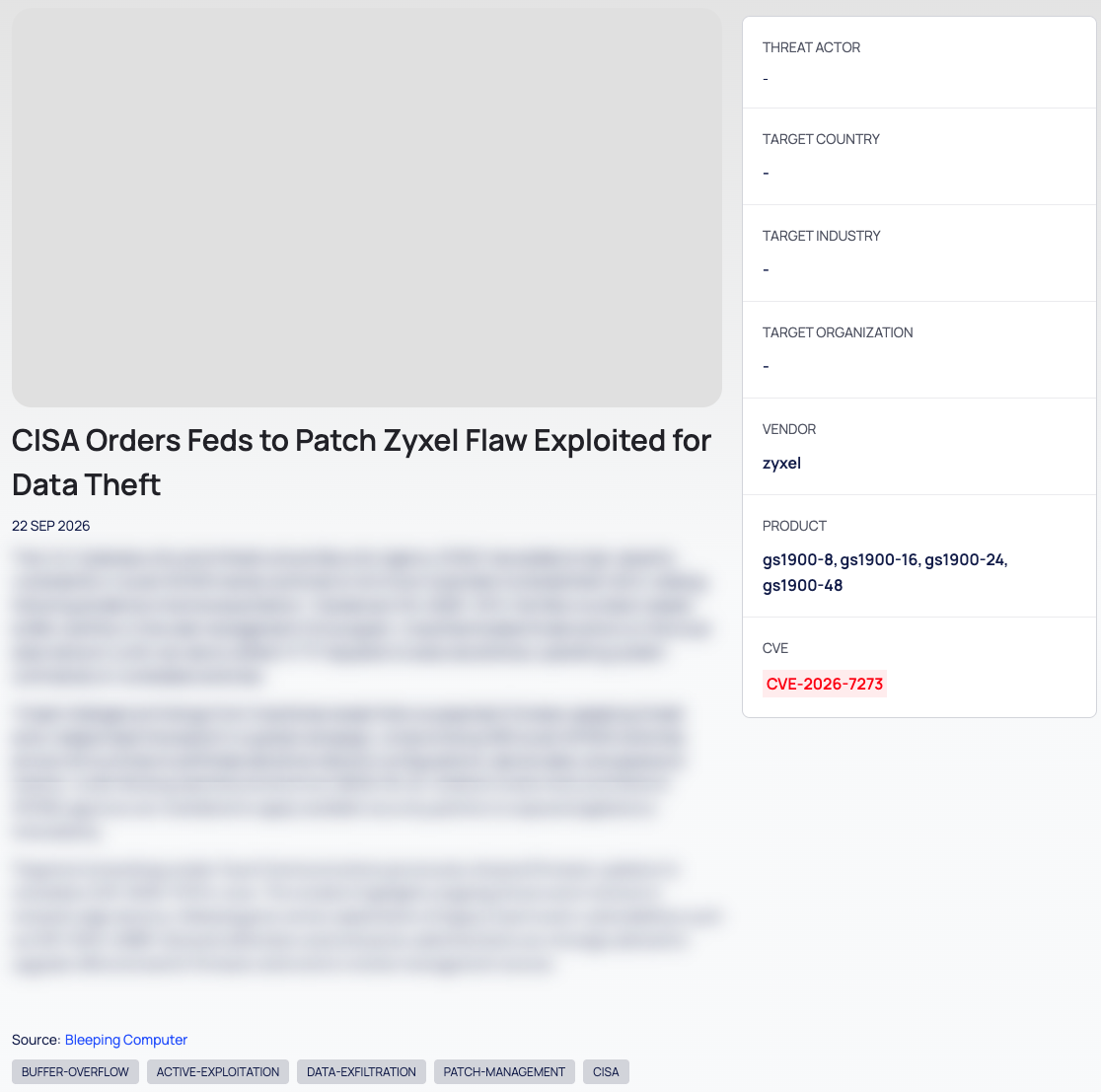
Select a card. The breadcrumb reads CTI / NEWS / <title>.
- The article text, a link to the original source (it opens the publisher's page in a new browser tab) and the article's tags.
- A side panel with THREAT ACTOR, TARGET COUNTRY, TARGET INDUSTRY, TARGET ORGANIZATION,
VENDOR, PRODUCT and CVE. A field shows - when the article mentions none. Select a threat
actor or an industry to list the other articles about it. These lists have their own address, for
example
https://platform.deepinfo.com/app/cti/news?actor=<name>, which you can bookmark. - Latest News: other recent articles.
The News Menu
The newspaper icon in the top bar, marked with a dot, opens the Cybersecurity News menu from any page:
- All, with the number of recent articles;
- the articles of TODAY and of the LAST 7 DAYS, each with its age. Select one to open it;
- Go to Cybersecurity News, which opens the news list.
Good to Know
- Alerts. A notification rule on New Cybersecurity News emails you about new articles, and can be filtered, for example by title, tags, country, industry, CVE or threat actor. See Create a notification rule.
- Third-party content. Articles come from third-party publishers. The source link opens the original.