Deep Search & Insights (DSI)
Deep Search & Insights (DSI) brings Deepinfo's internet-wide data into the platform. It is not about your own assets: you can look at registration trends, search every domain or CVE in Deepinfo's data, run a real-time lookup on one target, or download bulk data files.
Before You Start
- Package: DSI features are part of your package one by one: a search page, a lookup type or a feed can be included while another is not. A feed outside your package offers sample data only; other features show a notice that they are not included. See What you can access.
- Role: Admin or Member.
- Data: none. DSI works on Deepinfo's data, not on your inventory.
Where to Find It
Sidebar: DEEP SEARCH & INSIGHTS › DOMAIN INTELLIGENCE · https://platform.deepinfo.com/app/dsi/domain-intelligence
DEEP SEARCH & INSIGHTS is the green group heading in the sidebar. The heading is not a link and there is no DSI start page: open one of its items. The header breadcrumb starts with DSI, for example DSI / DOMAIN SEARCH.
| Sidebar item | What it does | Guide page |
|---|---|---|
| DOMAIN INTELLIGENCE | Statistics on domain registrations, TLDs and keywords | Domain intelligence |
| DOMAIN SEARCH | Search Deepinfo's domain data with filters; open any domain's details | Search domains, Domain details and reverse lookups |
| VULNERABILITY INTELLIGENCE | Statistics on CVEs, weaknesses (CWE) and the latest CVEs | Vulnerability intelligence |
| VULNERABILITY SEARCH | Search the CVE database with filters; open a CVE | Search vulnerabilities |
| INSTANT LOOKUP | Real-time WHOIS, DNS, SSL, web data, technology, screenshot and port scanner lookups | Run instant lookups |
| FEEDS | Download daily and full domain and subdomain files | Download data feeds |
Opening https://platform.deepinfo.com/app/dsi takes you to
Domain Search. Older links to /app/explore open Domain Search too.
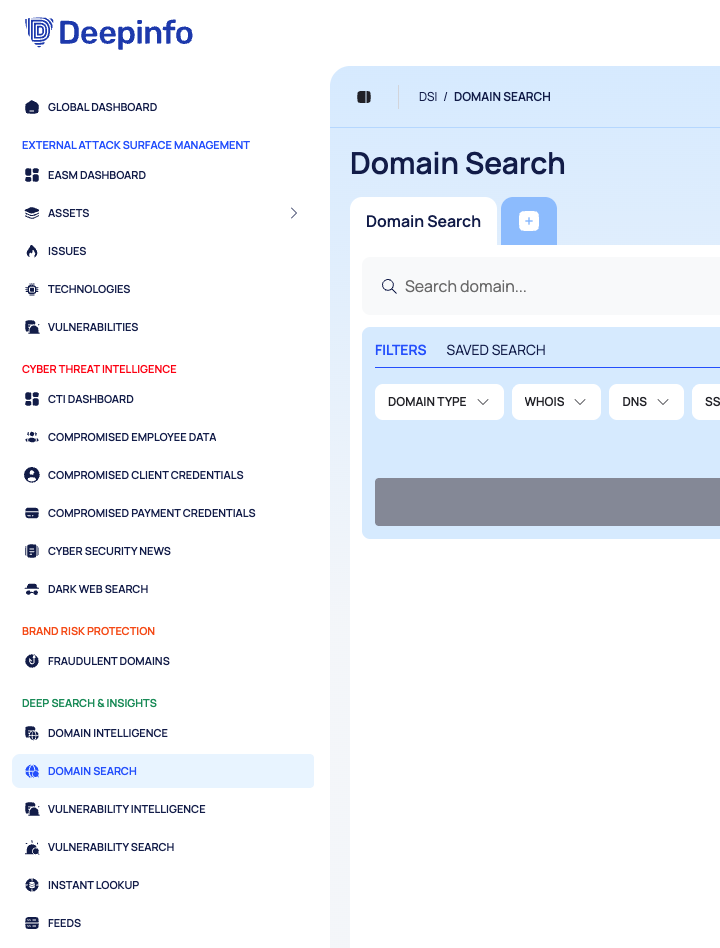
Page Tabs in Domain Search, Vulnerability Search and Instant Lookup
These pages work like a browser: each search, domain, CVE or lookup can have its own page tab, and you switch between them above the page.
- Open a tab: a search result or a suggestion can open in a new page tab (OPEN IN NEW TAB). In Instant Lookup, the + button adds a tab for the lookup type you pick.
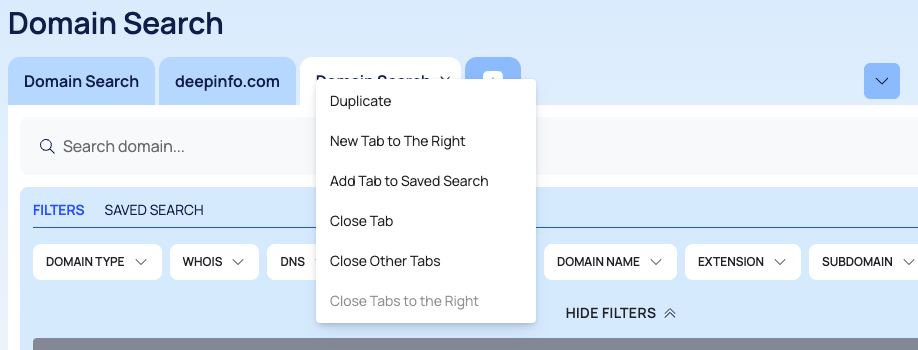
- Manage tabs: right-click a tab for Duplicate, New Tab to The Right, Close Tab, Close Other Tabs and Close Tabs to the Right. The menu also lists Add Tab to Saved Search, which has no effect.
- Tabs are kept in this browser. Your open tabs, with their queries and the last Instant Lookup result, are kept in this browser for your user, so they are still there after a reload. They do not appear in another browser or on another computer. Close a tab to remove it.
Saving searches is not available: SAVED SEARCH and SAVE THIS SEARCH are visible but have no effect.
Filters
Domain Search and Vulnerability Search share one filter builder. The chips under the search box open groups of fields; each rule you add is MUST, MUST NOT or SHOULD match. SEARCH runs the query, and the FILTERS APPLIED bar then lists the rules in use, with CLEAR FILTERS. HIDE FILTERS folds the chips away. See Search, filter and export lists for the rule model; the API search endpoints use the same one (see Search and filters).
Pages in This Section
- Domain intelligence: registration statistics, TLD and keyword analysis.
- Search domains: query the domain data and export results.
- Domain details and reverse lookups: one domain's full record.
- Vulnerability intelligence: CVE statistics, CWE categories, latest CVEs.
- Search vulnerabilities: query the CVE database.
- Run instant lookups: one target, in real time.
- Download data feeds: daily and full data files.
Do This With the API
Most of DSI is also available through the public API:
- Domain Search and domain details: the Discovery API
- Domain Intelligence: the Domain Intelligence API
- Vulnerability Intelligence and Vulnerability Search: the Vulnerability API
- Instant Lookup: the Lookup API
- Feeds: the Feeds API