Asset Insights
The INSIGHTS tab of Inventory shows how your assets are distributed: who registers your domains, which name servers, mail servers and networks they use, which certificates they present and which HTTP status codes they return. Use it to spot concentration and outliers across your attack surface.
Before You Start
- Package: External Attack Surface Management (EASM).
- Role: Admin or Member.
- Data: at least one asset in your inventory.
Where to Find It
Sidebar: EXTERNAL ATTACK SURFACE MANAGEMENT › ASSETS › INVENTORY · Tab: INSIGHTS · https://platform.deepinfo.com/app/easm/assets/insights
Read the Screen
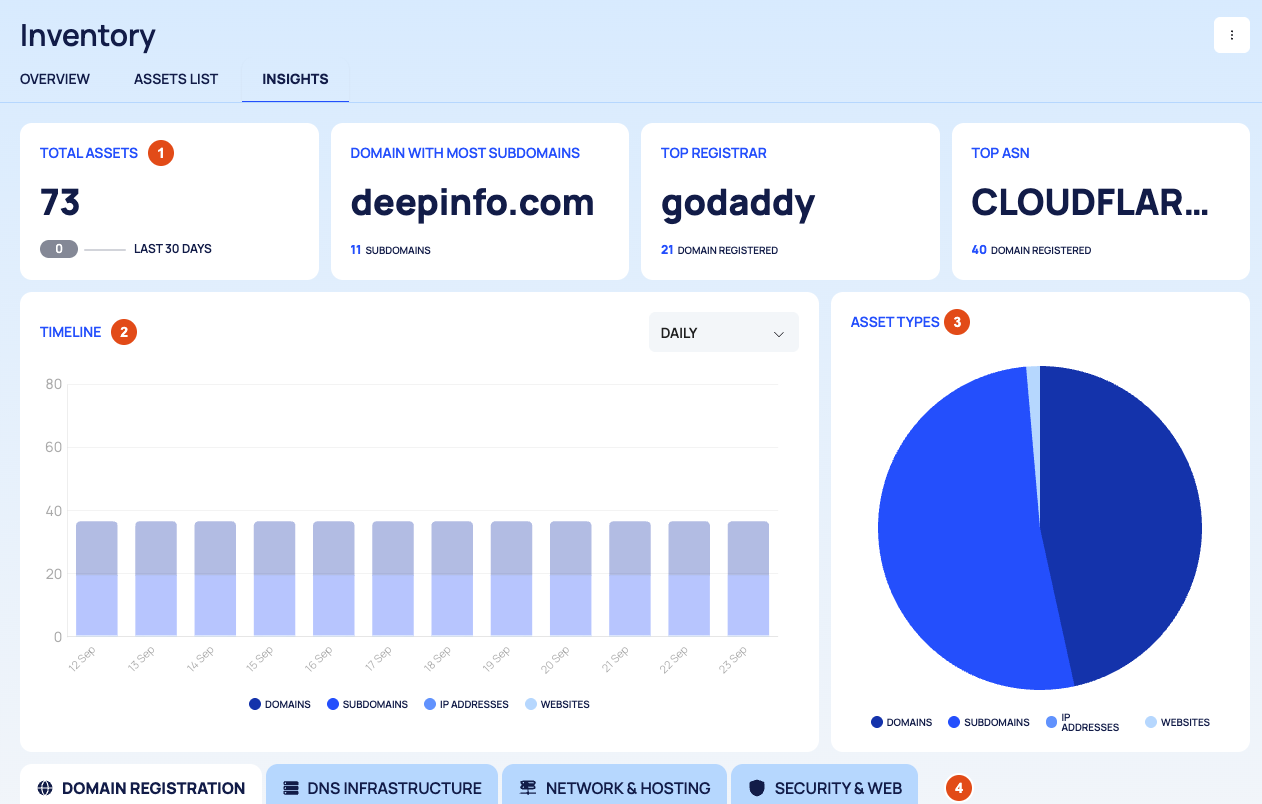
- Cards:
- TOTAL ASSETS, with the change over the LAST 30 DAYS.
- DOMAIN WITH MOST SUBDOMAINS and how many subdomains it has.
- TOP REGISTRAR, the registrar that holds most of your domains.
- TOP ASN, the most common network (autonomous system) among your assets.
- TIMELINE: your number of assets over time, split into DOMAINS, SUBDOMAINS, IP ADDRESSES and WEBSITES. Choose DAILY, WEEKLY or MONTHLY in the dropdown.
- ASSET TYPES: how your assets divide between the asset types.
- Distribution tabs: four tabs, described next.
The Distribution Tabs
| Tab | What it shows |
|---|---|
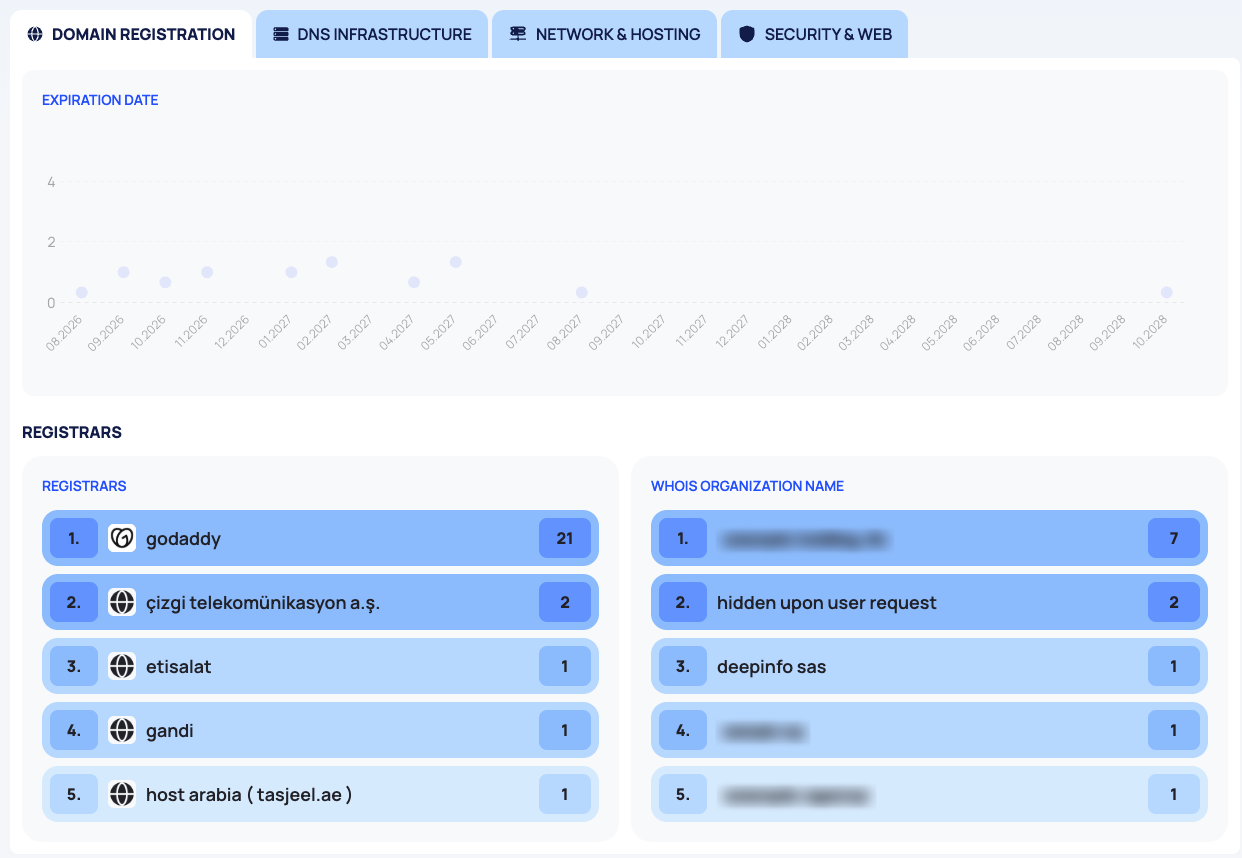
| DOMAIN REGISTRATION | EXPIRATION DATE: when your domain registrations expire. REGISTRARS and WHOIS ORGANIZATION NAME: the top five of each |
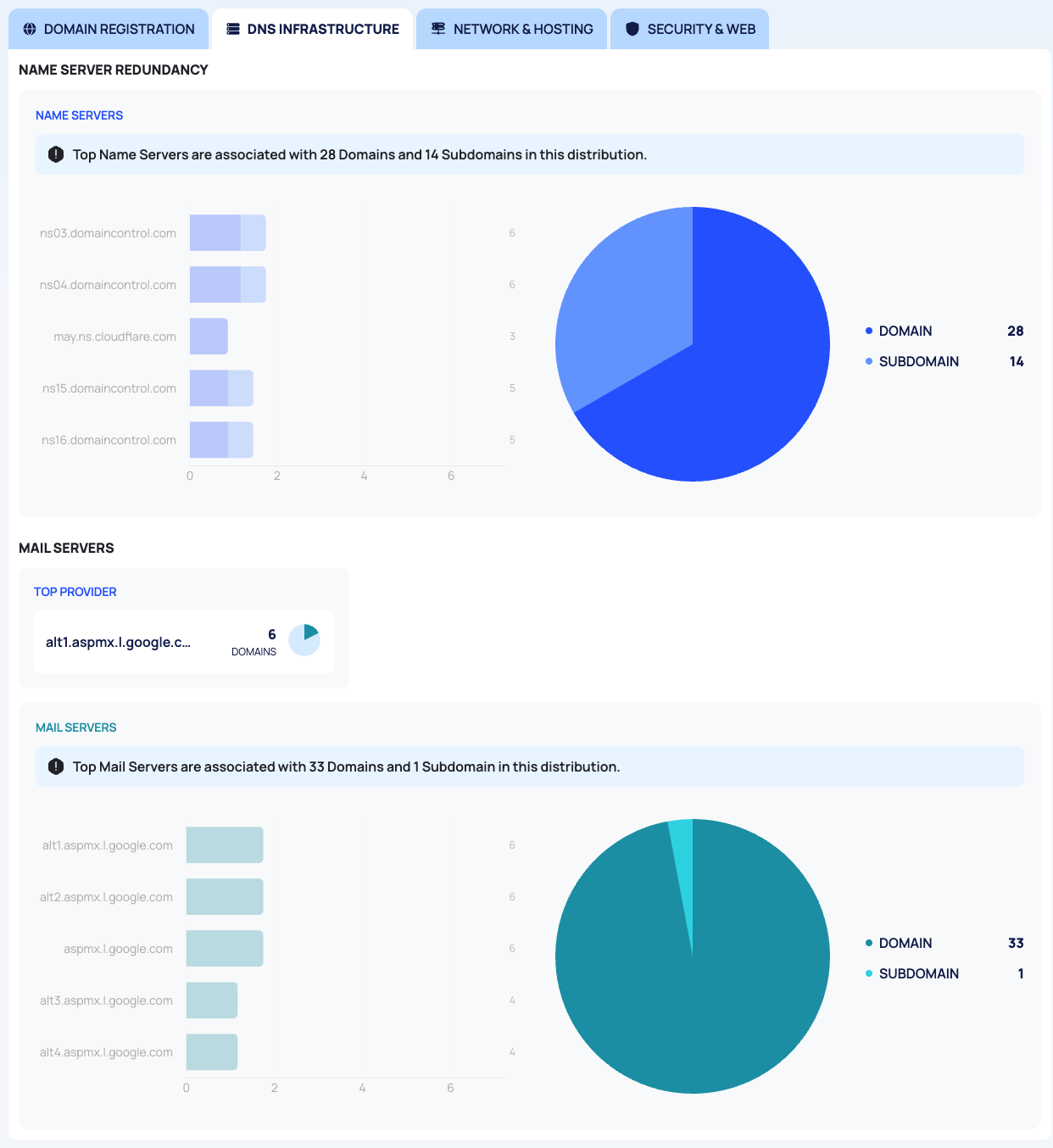
| DNS INFRASTRUCTURE | NAME SERVER REDUNDANCY. NAME SERVERS, split into DOMAIN and SUBDOMAIN. MAIL SERVERS: a TOP PROVIDER card, then the mail servers split into DOMAIN and SUBDOMAIN |
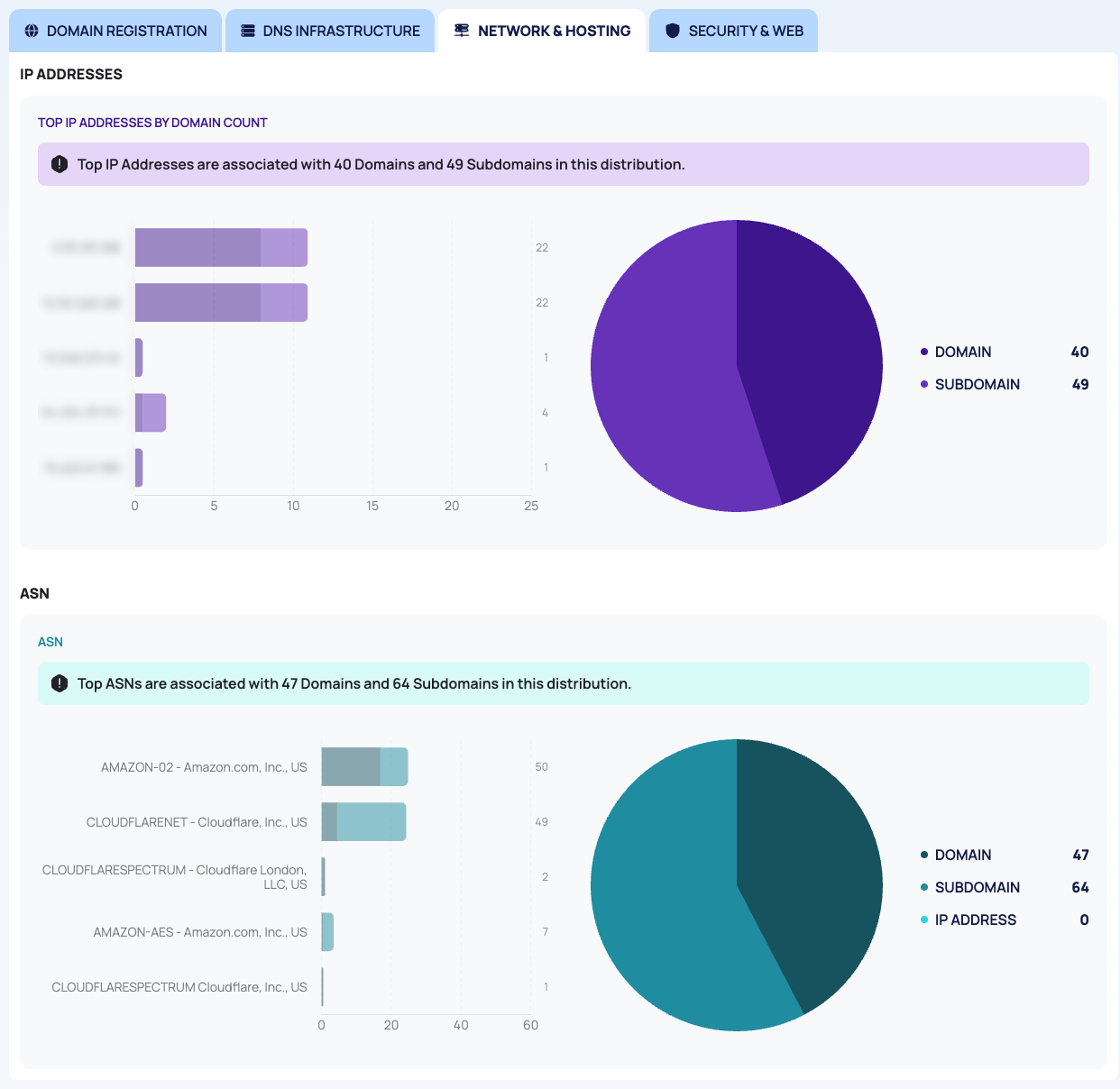
| NETWORK & HOSTING | IP ADDRESSES: TOP IP ADDRESSES BY DOMAIN COUNT. ASN: the networks, split into DOMAIN, SUBDOMAIN and IP ADDRESS |
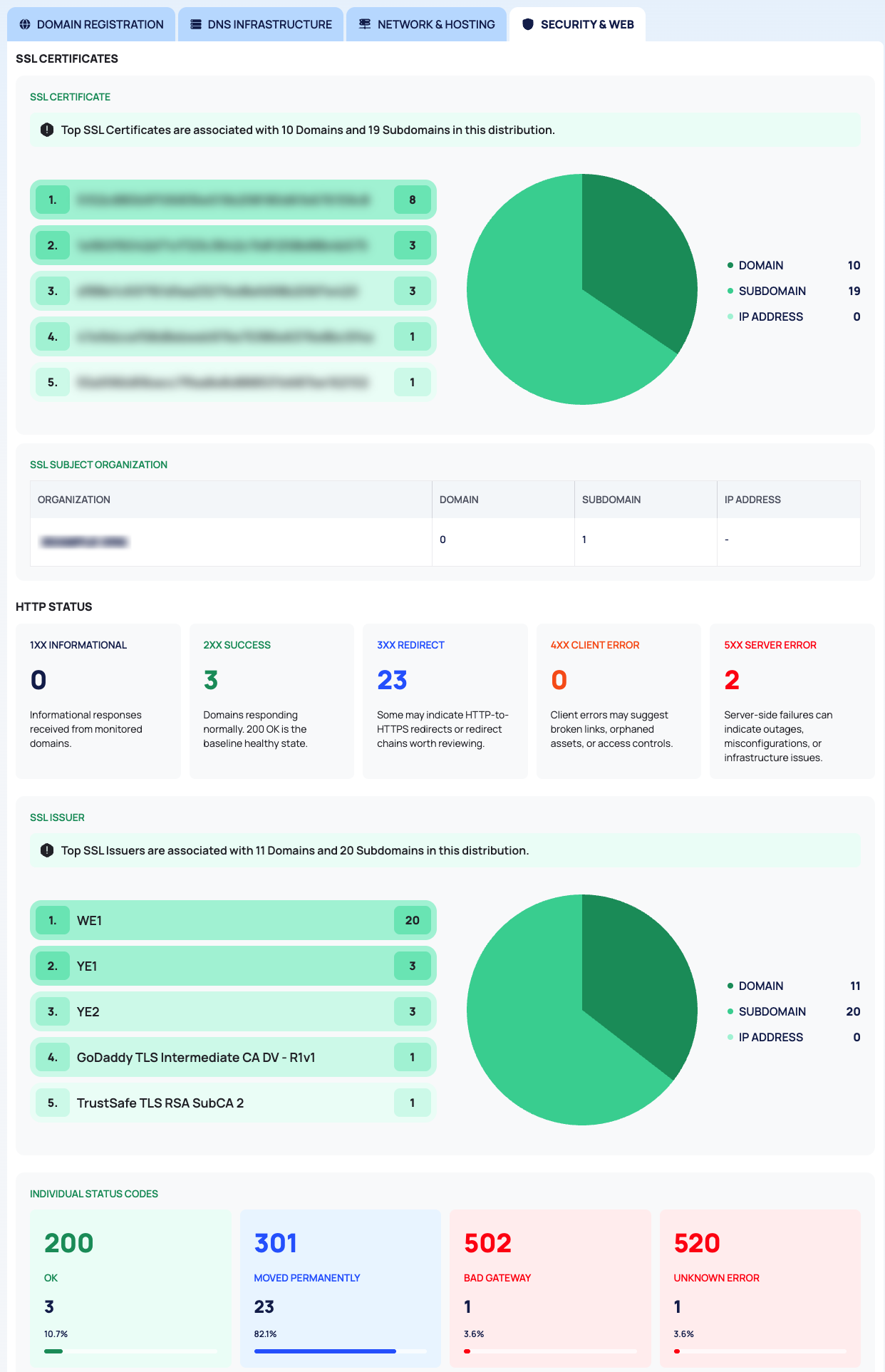
| SECURITY & WEB | SSL CERTIFICATES: the top five certificates, by fingerprint. SSL SUBJECT ORGANIZATION: the organizations named in your certificates, per asset type. HTTP STATUS: status classes with a one-line explanation each. SSL ISSUER: who issued your certificates. INDIVIDUAL STATUS CODES: each status code with its reason, count and share |
The HTTP STATUS classes are 1XX INFORMATIONAL, 2XX SUCCESS, 3XX REDIRECT, 4XX CLIENT ERROR and 5XX SERVER ERROR.
Use the Page
- Plan renewals: on DOMAIN REGISTRATION, check EXPIRATION DATE for domains that expire soon, and REGISTRARS for domains held by a registrar you do not expect.
- Check your DNS and mail setup: on DNS INFRASTRUCTURE, look at NAME SERVER REDUNDANCY, and at name servers or mail providers that only a few assets use.
- Find unexpected hosting: on NETWORK & HOSTING, look for IP addresses and networks you do not recognize.
- Review certificates and web responses: on SECURITY & WEB, look for unexpected certificate issuers or subject organizations, and for many 4XX or 5XX responses.
To act on what you find, go back to ASSETS LIST and filter by the same field, for example WHOIS or SSL in the filter bar.
Good to Know
- The page is for reading only. It has no filters and no export, and its charts do not link to the assets behind them.
- Each distribution has a sentence that says how many domains and subdomains its top values are associated with. These numbers can be higher than the number of assets in your inventory, so use them to compare values, not as asset totals.
- The HTTP STATUS figures here can differ from the HTTP STATUS column on ASSETS LIST.
- The OVERVIEW tab of Inventory holds the summary cards; see Browse your asset inventory.
Do This With the API
- Distributions by registrar, name server, certificate and more: Insight Stats
- Domains with the most subdomains: Domains with Most Subdomains
- Asset counts over time: Asset Type Stats Timeline
- Asset counts per type: Asset Type Stats